
Secrets and config
Workflows can read sensitive or user-specific values without hard-coding them. Bump.sh exposes two complementary mechanisms:
- Secrets: stored on Bump.sh, scoped to a single MCP server, shared across all users of that server. Useful for API keys you control yourself.
- Per-user config: sent by the client at runtime through HTTP headers, never stored on Bump.sh. Useful for values that differ per user, like a personal API key or an organization ID.
Secrets #
Secrets let you store sensitive values, such as API keys or tokens, separately from your workflow documents. They are injected at runtime so that your MCP server can authenticate with external APIs without exposing credentials in plain text.
Creating a secret #
Go to the Secrets section of your MCP server settings, then enter a name and a value.
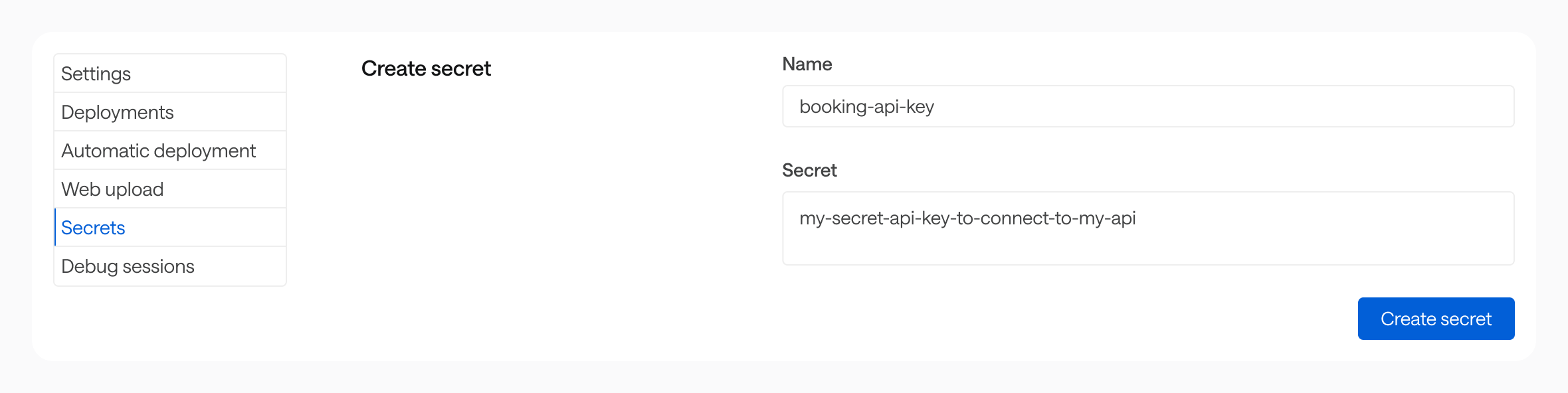
Secrets are scoped to a single MCP server. They can only be accessed by that server’s workflows.
Using a secret in a workflow #
Reference a secret with the $secrets.{name} expression wherever you would otherwise hard-code a sensitive value:
flows:
  - id: book-train-trip
    description: ...
    inputs: {}
    steps: []
    security: $secrets.booking-api-key
Storage and security #
Secret values are encrypted at rest (AES-256-GCM) and stored on an isolated infrastructure, separate from the main Bump.sh application. The Bump.sh application itself never has access to decrypted secret values.
At runtime, secrets are decrypted in memory only for the duration of a workflow execution. They are never written to logs, included in workflow outputs, or returned in API responses.
Per-user config #
Per-user config lets each end-user supply their own values when they connect to your MCP server. The values are passed as HTTP headers prefixed with Config-, never stored on Bump.sh, and resolved in workflows through $current_user.<name>.
Typical use cases:
- Each user authenticates against the underlying API with their own API key.
- The workflow needs a per-user identifier (organization ID, workspace slug, region, …).
- A custom OAuth flow, where the user pastes a token they obtained themselves.
Sending a config value #
Any header sent by the client and prefixed with Config- is forwarded as a config value. The header name (after the prefix) becomes the config name.
For instance, the following Cursor configuration sends two values, api_key and org_id:
{
  "mcpServers": {
    "My Bump.sh MCP server": {
      "url": "https://run.bump.sh/my-org/my-mcp-server/mcp",
      "headers": {
        "Config-Api-Key": "sk-personal-1234",
        "Config-Org-Id": "acme-eu"
      }
    }
  }
}
Headers without the
Config-prefix are never forwarded to workflows. This protects sensitive headers (cookies, internal auth, …) from being leaked through$current_user.*.
Using a config value in a workflow #
Reference the config value with $current_user.<name>:
steps:
  - id: list_projects
    request:
      method: GET
      url: https://api.example.com/v1/orgs/$current_user.org_id/projects
      headers:
        Authorization: "Bearer $current_user.api_key"
The matching between the runtime expression and the header name is case-insensitive, and underscores in the expression are mapped to dashes in the header. All these expressions resolve the same Config-Api-Key header:
| Expression | Resolves to |
|---|---|
$current_user.api_key |
Config-Api-Key header |
$current_user.API_KEY |
Config-Api-Key header |
$current_user.Api-Key |
Config-Api-Key header |
See Runtime expressions for the full reference.
Storage and security #
Config values are not stored on Bump.sh. They live only for the duration of a single workflow execution, in the data plane’s memory. They are never written to logs, included in workflow outputs, or returned in API responses.